

Understanding UAN is important for every employee who has an Employee Provident Fund account in India. The Universal Account Number acts as a permanent identification number that helps employees manage PF accounts, contributions, transfers, withdrawals, KYC details, and other EPFO services more easily.
For employees changing jobs, UAN provides a convenient way to keep multiple PF member IDs connected under one account. Instead of managing separate PF identities throughout a career, employees can use their UAN to access important provident fund information through the EPFO portal and related services.
What Is UAN and Why Is It Important?
The Universal Account Number is a unique 12-digit number issued by EPFO to eligible employees. It generally remains the same throughout an employee’s working life, even when the person changes employers. It connects different PF member IDs and simplifies EPF account management.
🌞 UAN gives employees a consistent identity for managing their provident fund information across different jobs. It helps connect employment-related PF records and makes account management more organized. 🔐
💼 When an employee changes companies, a new PF member ID may be created under the same UAN. This helps maintain continuity instead of treating every job as a completely separate PF identity.
🔢 A UAN is generally a 12-digit number associated with an employee’s EPF records. Keeping this number safely stored can make future PF-related services much easier to access.
🏦 UAN can help employees manage important PF-related information through EPFO services. Users may access contribution records, KYC information, passbook details, and other available online facilities.
🔄 Job changes do not normally require an employee to create a completely new lifelong UAN. Instead, the new PF member ID can be linked with the existing UAN when the employment record is properly maintained.
📱 Employees can use their registered mobile number for several UAN-related activities. A working mobile connection can therefore be important for OTP verification, password recovery, and account-related communication.
🧾 UAN makes it easier to track employment-linked provident fund records. Employees can review their PF contribution history and identify whether contributions are being reflected in their account.
🔐 Protecting your UAN login information is an important part of responsible PF account management. Employees should avoid sharing passwords, OTPs, or other sensitive credentials with unknown individuals.
💰 Your UAN does not represent your PF balance itself. Instead, it acts as an identification mechanism through which different PF member accounts and related services can be managed.
🏢 Employers also use UAN-related information when handling employee provident fund records. Accurate employee details can help reduce administrative problems during onboarding and PF processing.
📊 A properly maintained UAN can provide a clearer view of PF-related activity across different periods of employment. This can be particularly useful when checking contribution history before retirement or withdrawal.
🌱 UAN supports long-term provident fund management because it can remain associated with an employee even after changing jobs. This continuity is one of its most useful features.
🛡️ Employees should verify that their personal information, Aadhaar details, PAN information, and bank details are correctly reflected where required. Accurate records can help prevent avoidable claim-related issues.
💻 The EPFO portal provides online facilities connected with UAN services. Employees can use available digital options rather than depending entirely on physical paperwork for routine account activities.
📚 Understanding the difference between UAN and PF member ID can prevent confusion. UAN identifies the employee at a broader level, while a PF member ID generally relates to employment under a particular establishment.
🔎 If you forget your UAN, EPFO provides mechanisms that may help eligible users find their number. Personal details and registered contact information may be required for verification.
🔄 UAN can simplify PF transfer processes when employment records are correctly linked. Employees should check their account information whenever they join a new organization.
💳 PF withdrawal and transfer services are separate processes, but both can involve the employee’s UAN and associated member records. Understanding the account structure helps employees choose the correct service.
👨💼 Employers should provide accurate information while creating or linking employee PF records. Employees can also review their details and raise concerns if something appears incorrect.
✨ Overall, UAN is an important part of India’s digital EPF management system. Learning how it works can help employees monitor contributions, maintain KYC information, and manage provident fund services with greater confidence.
How Does UAN Work With PF Accounts?
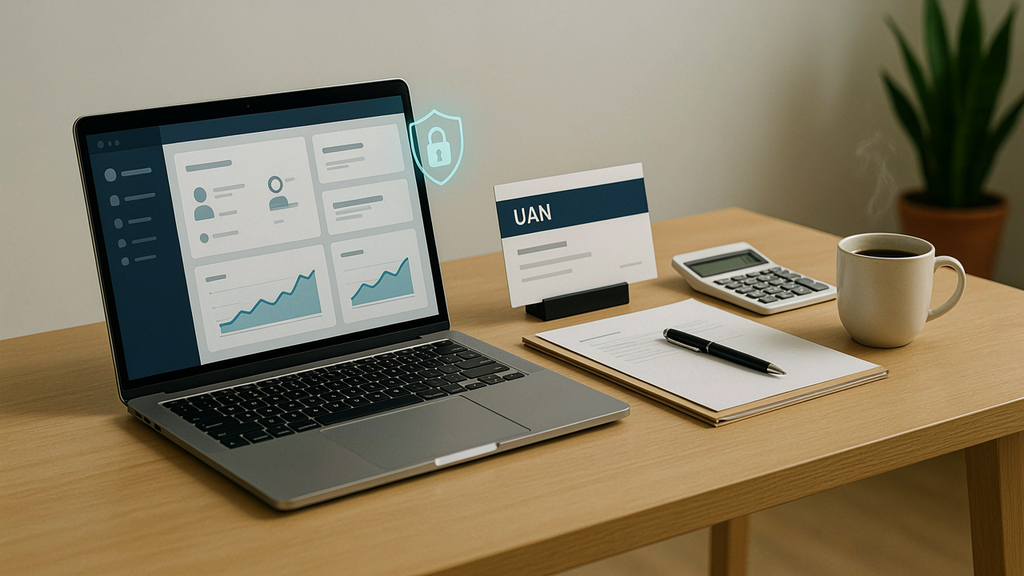
UAN connects an employee’s different PF member IDs under one central identity. When an employee changes jobs, the new employer may create a new PF member ID, which can be associated with the existing UAN rather than requiring a completely new lifelong number.
🔗 UAN works as a connecting identity between an employee and multiple PF member IDs created during different employment periods. This structure helps organize provident fund records more efficiently.
💼 Suppose an employee works for three companies over several years. Each employer may have a separate PF member ID, while the employee can continue using the same UAN.
📂 Multiple PF accounts can sometimes appear when employment records are not properly linked. Employees should review their records and follow appropriate EPFO procedures when they identify duplicate or disconnected accounts.
🔄 A new job does not automatically mean an employee should create another UAN. Existing UAN information should generally be provided to the new employer to support proper PF record linkage.
🧾 PF member IDs are employment-specific identifiers, while UAN provides a broader employee-level connection. Understanding this distinction makes EPF statements and employment records easier to interpret.
💰 Contributions from eligible employment are recorded against the relevant PF member account. Employees can use available EPFO services to monitor contribution history associated with their employment records.
🏢 Employers play an important role in maintaining accurate PF records. Incorrect personal information or an incorrect UAN can create complications that may require correction before certain services can be completed.
📱 Employees should provide their correct UAN and registered information when joining a new organization. Keeping records consistent can make future PF transfers and online services more straightforward.
🔍 If two PF member IDs appear under one UAN, that does not necessarily mean something is wrong. Different employment periods can legitimately create different member IDs while remaining connected to the same UAN.
🛠️ When PF records do not appear as expected, employees should first review available EPFO information and employment details. If the issue remains unresolved, an official grievance channel may be appropriate.
📊 UAN-based access can make it easier to view information from different employment periods. This provides employees with a more centralized way to understand their provident fund activity.
🧮 Employer and employee contributions are recorded according to applicable EPF rules. The exact amounts and components can depend on salary structure, statutory provisions, and eligibility.
🔐 A UAN should not be confused with an ATM PIN, bank account number, or PF balance. It is an account-related identification number used within the EPFO framework.
📲 Digital PF services have reduced the need for employees to depend solely on physical documents. Many routine activities can be initiated or checked online through available official channels.
🧑💻 Employees should regularly check their PF records when changing employers. Early identification of incorrect UAN or member-ID information can make corrections easier to manage.
🗃️ Maintaining employment records, payslips, PF statements, and joining documents can be helpful if a discrepancy appears later. These documents can support clarification with an employer or EPFO.
🔎 An employee may have multiple member IDs without having multiple independent UANs. The purpose of UAN is partly to create continuity across eligible PF memberships.
🌐 Online UAN services can include facilities related to KYC, passbook access, password management, and other EPFO functions. Availability may change as official systems are updated.
📝 If an employer creates PF records with incorrect information, employees should communicate with the relevant HR or payroll team. Corrections may require supporting documents and appropriate verification.
🌟 Understanding the relationship between UAN and PF member IDs helps employees avoid unnecessary confusion. It also makes it easier to monitor provident fund activity whenever employment changes.
How to Find or Generate a UAN Online?
Employees who do not know their UAN can use official EPFO facilities to identify it when eligible. Depending on the situation, Aadhaar, PAN, registered mobile information, or other employment details may be used for verification and account-related services.
🔎 If you have forgotten your UAN, start by using the official EPFO website rather than an unofficial service. Carefully enter the requested personal information and complete the available verification process.
📱 Your registered mobile number can be important for online UAN services. Make sure the number associated with your EPFO records is active so that required OTP verification can be completed.
🆔 Aadhaar can be connected with EPF records when the applicable requirements are met. Employees should ensure that personal details match across documents to reduce verification problems.
🔢 Employees who already have a UAN should generally avoid creating unnecessary additional UANs. A single continuing UAN can help maintain employment-linked PF records in an organized manner.
💻 The EPFO portal provides official digital services for employees. Always check that you are using the genuine government website before entering personal information, passwords, or OTPs.
🔐 OTP verification adds an additional identity-checking step to several online processes. Never share an OTP with another person claiming to be an EPFO representative.
🧾 PAN information can be relevant to certain EPF-related processes. Employees should verify that their name and other identifying information are consistent with their official records.
🏦 Bank details may also be important when processing certain PF-related claims. Incorrect account information can create delays, so employees should review their details carefully.
📲 The UMANG app may provide access to certain EPFO services through a mobile interface. Users should download the legitimate application and follow the current official instructions.
🛠️ If your details do not match during UAN identification, check your Aadhaar, PAN, employer records, and mobile information. A mismatch may need correction before the online process can continue.
👨💼 Employees can also contact their employer’s HR or payroll department if they cannot identify their PF records. Employers may have relevant employment and PF information available.
📚 Keep your appointment letter, salary slips, PF information, and identity documents available when troubleshooting. Having accurate records can make it easier to explain discrepancies.
🔄 Employees who have changed jobs should first determine whether they already possess a UAN. Creating another number without understanding the existing record can lead to unnecessary account complications.
🛡️ Online UAN services should always be accessed through trusted channels. Avoid websites or individuals promising instant PF services in exchange for passwords, OTPs, or excessive personal information.
🌐 The exact online process can change as EPFO updates its systems. For current instructions, employees should rely on information displayed on official EPFO platforms.
📞 If online identification does not work, an employee may need to use an official support or grievance route. Keep the relevant employment and identity details ready before submitting a request.
💡 Finding your UAN is usually the first step toward accessing several EPF-related services. Once identified, employees should securely save the number for future reference.
🗂️ A digital copy of important PF information can be useful for personal records. Store it securely and avoid keeping sensitive account credentials in publicly accessible locations.
👤 UAN identification is designed to connect the employee with the correct provident fund records. Accuracy in names, dates of birth, mobile numbers, and identity information can therefore matter significantly.
✨ Taking a few minutes to verify your UAN information can prevent future administrative problems. Accurate records make PF transfers, KYC updates, and account monitoring more convenient.
How to Activate UAN and Access UAN Services?

UAN activation enables eligible employees to use online EPFO facilities associated with their account. After activation, users can sign in through the available official system and access services such as passbook information, KYC details, and account-related functions.
🚀 UAN activation is an important step for employees who want to use online PF services. Follow the current instructions provided by EPFO and enter personal information carefully during verification.
📱 A registered mobile number can be central to the activation and authentication process. Employees should keep access to the relevant mobile number while completing online account procedures.
🔐 Creating a secure password helps protect your EPFO account. Avoid using simple combinations based on your name, birth date, or easily guessed personal information.
💻 After activation, employees may be able to access several online facilities through the EPFO member interface. The exact services available can depend on account status and current EPFO functionality.
🧾 UAN activation can make it easier to review PF information without repeatedly depending on an employer. Employees can independently check certain records through the official online system.
🔎 If activation fails, carefully review the information entered. Differences in personal details, mobile information, or employment records can sometimes prevent successful verification.
🆔 Employees should use their own UAN and personal credentials when accessing PF services. Sharing login information can expose sensitive employment and financial information.
📲 Some EPFO services may also be available through the UMANG app. Users should follow the application’s current instructions and verify that they are using the official service.
🔄 Password recovery is available through appropriate account-recovery procedures when users forget their credentials. Keep the registered mobile information updated to make recovery easier.
🛡️ Never provide your UAN password or OTP to a person who contacts you unexpectedly. Official-looking messages or calls should still be treated cautiously when they request confidential information.
📊 Once online access is available, employees can review information such as contribution history and other account details where supported. Regular monitoring can help identify unexpected discrepancies.
🧑💼 If an employee’s employer has entered incorrect information, online access alone may not correct the underlying issue. The employee may need to coordinate with the employer or use an official EPFO process.
📚 UAN activation is different from KYC approval. Activation provides access to the account, while KYC involves verification and linking of relevant identity or financial information.
🔑 If you lose access to your registered mobile number, account recovery may require additional steps. Updating contact information through the proper process can reduce future access problems.
🌐 Always check the address of the website before entering your password. Phishing websites can imitate government portals and may attempt to collect confidential information.
📝 Keep your UAN, registered mobile number, and important account information recorded securely. This can make routine account access and troubleshooting more efficient.
💡 Employees should avoid repeatedly attempting random login combinations if access fails. Use the official password-recovery or support process instead of risking account-related complications.
🏢 HR departments can sometimes help employees understand employer-side PF information. However, sensitive account credentials should remain under the employee’s control.
📲 Digital access gives employees greater visibility into their PF records. Reviewing information periodically can help detect issues earlier rather than discovering them during a withdrawal or transfer request.
✨ Successful UAN activation creates a useful foundation for managing PF information online. Employees can then explore available EPFO services while keeping their login credentials secure.
How to Check PF Balance and Download the EPF Passbook?
The EPF passbook provides a record of provident fund transactions associated with eligible PF accounts. Employees can use available EPFO services to review contributions, employer deposits, and other recorded transactions, subject to account and service availability.
💰 Checking your PF balance can help you understand how your retirement savings are progressing. Review the official passbook or account information rather than relying on unofficial balance calculators.
📖 The EPF passbook can show transaction details associated with a member account. Employees can use it to review contributions credited during different periods of employment.
🏢 Employer contributions may appear separately from employee contributions in the PF record. Understanding these entries can make the passbook easier to read and interpret.
📊 Reviewing contribution history regularly can help employees identify missing or unexpected entries. If something appears incorrect, compare the record with salary slips and employer information.
📱 Employees may access certain PF information through digital services. The exact method can vary depending on current EPFO systems and account eligibility.
🔎 If your latest contribution is not visible immediately, avoid assuming that the money has been lost. Posting and updating records can involve processing time, so check again and contact the appropriate authority if the issue persists.
🧾 Salary slips can provide useful supporting information when checking your PF passbook. Compare deductions and employer contributions with the entries shown in your official records.
💻 Downloading or saving available passbook information can help maintain personal financial records. Keep downloaded documents secure because they contain employment and financial information.
🔐 Do not share screenshots of your complete PF passbook publicly. Account identifiers and personal information should be protected from unnecessary exposure.
🏦 PF records are different from your regular bank statement. The EPF passbook relates specifically to provident fund transactions maintained under the EPFO framework.
🔄 Employees with multiple PF member IDs should understand which employment record they are reviewing. Different member IDs may reflect different periods or establishments.
📅 Checking your passbook at reasonable intervals can help you stay informed about contributions. It is particularly useful after joining a new employer or changing jobs.
🧮 The displayed PF balance may include different components according to applicable EPF rules. Employees should avoid assuming that the entire displayed amount is always immediately withdrawable.
🛠️ If an account discrepancy is identified, gather supporting documents before contacting HR or EPFO. Salary slips, employment records, and passbook entries can help explain the issue.
📲 Digital access makes PF monitoring more convenient for employees who prefer online financial recordkeeping. Always use official platforms when checking sensitive information.
🧑💼 Employers are responsible for depositing applicable contributions according to statutory requirements. Employees can independently monitor available records to stay informed about their account.
🌱 Long-term PF savings can become an important part of retirement planning. Reviewing contributions regularly gives employees a clearer understanding of how their provident fund is developing.
🗂️ Keep copies of important PF statements when changing jobs. These records can be useful if an employment history or contribution issue needs to be investigated later.
🔍 A missing entry should be investigated using official records rather than social media advice. Contact the employer or EPFO through recognized channels when necessary.
✨ The EPF passbook is one of the most practical tools for monitoring provident fund activity. Regularly reviewing it can help employees maintain accurate financial and employment records.
How to Update UAN KYC Details?

KYC information connected with a UAN may include Aadhaar, PAN, bank account information, and other required details. Keeping these records accurate can help reduce problems during certain PF-related processes and claims.
🪪 Aadhaar is commonly used as an identity document for EPFO-related verification. Employees should ensure that personal details are consistent before attempting to link or verify information.
🏦 Bank account details can be important for eligible PF claim payments. Employees should carefully review account information and update incorrect details through the appropriate official process.
💳 PAN information may be relevant to certain EPF transactions and tax-related considerations. Verify your name and other information before submitting or updating PAN details.
📱 A registered mobile number helps support digital verification and account access. Employees should update their contact information through the permitted procedure when their number changes.
🔐 KYC updates should be completed only through trusted EPFO channels. Avoid giving Aadhaar numbers, bank details, or OTPs to unknown agents promising faster approval.
🔎 KYC mismatch can occur when names, dates of birth, or other details differ across documents. Correcting the underlying information may be necessary before the update can be approved.
🧾 Employees should compare their EPFO details with their official identity documents. Small spelling differences can sometimes create unnecessary administrative difficulties.
💻 Online KYC facilities can reduce paperwork for employees when the account and verification conditions are satisfied. Follow the current instructions displayed on the official portal.
🏢 In some situations, employer verification may be involved in the KYC process. Employees should communicate with HR or payroll if an employer-side action is pending.
📲 Digital KYC management can make PF administration more convenient. However, employees should always confirm that the information being submitted belongs to their own account.
🛡️ Never share OTPs during a KYC update with another person. An OTP is intended for authentication and should be treated as confidential.
🔄 If you change your bank account, review your PF-related banking information promptly. An outdated account can cause complications when processing an eligible payment.
📚 Keep copies of supporting documents used for corrections or verification. They may be useful if an update is rejected or additional clarification becomes necessary.
🧑💼 Employer records should also contain accurate employee information. If your name or date of birth is incorrect in the employer’s PF submission, correction may require employer involvement.
🌐 Use official EPFO instructions because KYC procedures can change over time. Avoid relying on outdated blog posts when a current government instruction is available.
📝 KYC approval is not always instantaneous. Processing can depend on verification requirements, employer action, and the type of information being updated.
🔍 If a KYC request remains pending, first review its status through the available official interface. Then contact the appropriate support channel if further action is required.
💡 Keeping KYC information accurate is a useful part of overall PF account maintenance. It can reduce the risk of discovering incorrect information when you need a service urgently.
📂 Employees should treat Aadhaar, PAN, and bank information as sensitive personal data. Store documents securely and avoid sending them unnecessarily through unverified messaging accounts.
✨ Proper KYC maintenance supports smoother digital PF administration. A few careful checks today can help prevent avoidable documentation problems during future account services.
How to Reset UAN Password and Update Mobile Number?
Employees may need to reset their UAN password if they forget their login credentials. A current registered mobile number can be particularly important because account recovery and verification may use OTP-based authentication.
🔑 Forgetting a UAN password does not necessarily mean losing access permanently. Use the official password-recovery facility and follow the verification instructions provided by EPFO.
📱 Your registered mobile number can play an important role in account recovery. Keeping it active helps ensure that you can receive required verification messages.
🔐 Choose a strong password after resetting your account credentials. Avoid reusing passwords from banking, email, or social media accounts.
🔄 Employees who change phone numbers should update their EPFO contact information through the permitted process. Delaying this can make future password recovery more difficult.
📩 OTPs should always remain private. No genuine support representative should need you to disclose a confidential OTP for their personal use.
🛡️ If you receive an unexpected password-reset message, do not automatically click links in the message. Instead, access the official EPFO website independently and verify your account status.
💻 Password recovery should be completed through official digital channels. Avoid third-party websites that ask for your UAN password or payment details.
🔎 If the recovery process fails, check whether the mobile number entered matches the number associated with your account. Incorrect contact information can prevent successful authentication.
🧾 Keep your UAN and important employment records safely stored. Having these details available can make account recovery and support requests easier.
📲 A mobile number can serve more than one purpose in PF management. It may support login recovery, OTP verification, and other account-related communications.
🧑💼 If your mobile information is incorrect because of an employer-side record issue, contacting HR or payroll may help identify the appropriate correction route.
🌐 Always confirm the official website address before entering credentials. Phishing sites may copy the appearance of legitimate government services.
🔐 Avoid saving sensitive credentials in shared computers or public browsers. Log out after completing PF-related activities on devices used by other people.
🛠️ If access problems continue after a password reset, review the account information and use official support options. Repeated unsuccessful attempts may not solve an underlying data mismatch.
📚 Employees should periodically review their account information, especially after changing jobs or phone numbers. Early corrections can prevent problems during urgent PF transactions.
💡 Password security is part of responsible PF account management. Treat your UAN credentials with the same care you would give other financial account information.
🔄 Updating your mobile number does not mean creating a new UAN. Contact information and the underlying PF identity are separate aspects of account management.
🏦 Never provide bank passwords, ATM PINs, or card details during a UAN password-recovery process. These credentials are not a substitute for official EPFO authentication.
📞 If you suspect unauthorized access, use official support channels promptly. Review account information and take appropriate security measures instead of sharing credentials with strangers.
✨ Keeping your password and mobile information current makes digital PF management easier. Good account security also protects sensitive employment and financial information from unnecessary exposure.
How to Transfer PF Through UAN When Changing Jobs?
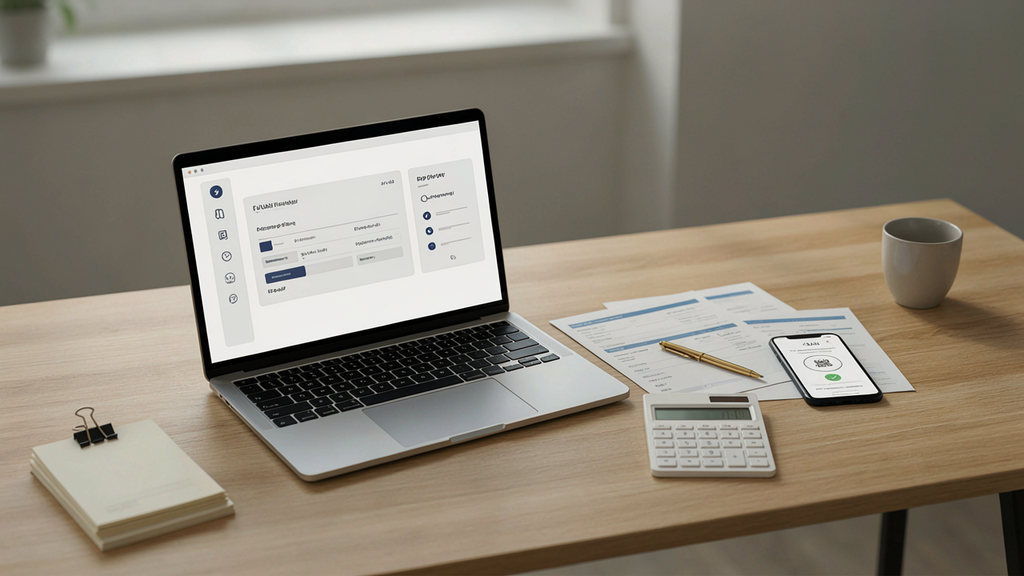
PF transfer allows eligible employees to move provident fund records from a previous employment account to the current one under applicable EPFO procedures. Maintaining the same UAN can help connect employment records during a job transition.
🔄 Changing jobs is common, and employees should understand what happens to their PF records afterward. Providing the correct UAN to the new employer can help maintain continuity.
💼 A new employer may create a new PF member ID for the new employment period. This member ID can be connected with the employee’s existing UAN when the records are properly maintained.
🔗 Employees should avoid creating a new UAN simply because they have started another job. First check whether an existing UAN already belongs to you.
📋 PF transfer procedures can depend on account information, KYC status, and other eligibility conditions. Review the current EPFO instructions before initiating a transfer request.
🔐 Accurate personal details are important during PF transfers. Differences in names, dates of birth, or identity information may require correction before the process can proceed.
🏦 Bank and KYC information can also affect online PF services. Employees should review their records before submitting a transfer-related request.
📱 A registered mobile number may be used for authentication during online processes. Keep your contact information current when moving between employers.
🧾 Salary slips and previous PF statements can help employees verify their old account details. Keep these documents available if a transfer issue occurs.
🏢 HR or payroll teams can help confirm employment-related PF information. However, employees should independently monitor their account rather than assuming every record is automatically correct.
🔎 If an old PF account does not appear under your expected UAN, investigate the record before initiating unnecessary transactions. Multiple member IDs can sometimes result from different employment records.
📊 Reviewing the passbook before and after a transfer can help you understand how the transaction has been recorded. Keep copies of relevant statements for your financial records.
🛠️ Transfer delays can occur for several administrative reasons. If the request remains unresolved, use official EPFO support or grievance mechanisms rather than paying an unofficial agent.
🌐 The online transfer process can change as EPFO updates its digital systems. Follow the latest instructions available through official government channels.
📚 Employees should provide their existing UAN to a new employer where appropriate. This simple step can help reduce the creation of disconnected PF records.
💡 Keeping a record of all employers and PF member IDs can be valuable throughout your career. It makes it easier to identify missing or duplicate employment records.
🧑💻 Digital PF transfer facilities can save time compared with older paper-based procedures. However, online convenience does not eliminate the need to verify account information.
🛡️ Never pay an unknown person simply because they promise to complete a PF transfer faster. Use official EPFO services and recognized support channels.
🔍 If a transfer request is rejected, read the available reason carefully. The next step may involve correcting personal information or coordinating with the employer.
🗂️ Keep records from previous employment even after a successful transfer. Employment documents can remain useful for tax, retirement, or future account verification purposes.
✨ A well-maintained UAN can make career changes easier from a PF management perspective. Employees who monitor their records can identify issues before they become major administrative problems.
How to Withdraw PF and Track EPF Claims?
Eligible employees may be able to submit PF withdrawal claims through available EPFO channels, depending on the applicable rules and their circumstances. Before making a claim, employees should review their KYC, bank information, and account status.
💰 PF withdrawal can provide access to provident fund savings when an employee meets the relevant conditions. Always review the applicable EPFO rules before submitting a claim.
📝 An online PF withdrawal request may require verified personal and banking information. Check your account details carefully before beginning the claim process.
🏦 The bank account connected to the claim should meet the applicable EPFO requirements. Incorrect banking information can create avoidable payment problems.
🔐 Secure login credentials are essential when submitting a PF claim online. Never ask an unknown agent to use your UAN password on your behalf.
📱 Mobile-based authentication may be part of online account services. Keep your registered mobile number active during the claim process.
🔎 Claim status can be checked through available official EPFO facilities. Reviewing the status helps employees understand whether additional action may be required.
📋 Before submitting a claim, verify your KYC information and personal details. Correcting problems beforehand may reduce the chance of administrative delays.
🧾 Employees should keep claim-related documents and confirmation details for their records. These can be useful if a payment or processing issue needs to be investigated.
💡 PF withdrawal rules depend on the type of claim and the employee’s circumstances. Do not assume that every employee can withdraw the entire balance at any time.
🧮 The amount payable can depend on applicable rules, account records, and the nature of the claim. Use official information when estimating the amount you may receive.
🛡️ Be cautious of people promising guaranteed or instant PF claim approval. Legitimate processing follows official requirements and verification procedures.
📲 Digital claim submission can make the process more convenient for eligible employees. However, online submission does not guarantee immediate settlement.
🏢 Employees leaving employment should understand the difference between transferring a PF balance and withdrawing it. The appropriate option depends on personal circumstances and applicable rules.
📊 Reviewing your PF passbook before filing a claim can help you understand the recorded balance and contributions. It can also reveal information that may need correction.
🔄 Employees who are joining another job may want to consider PF continuity and transfer rules before choosing withdrawal. Long-term retirement planning can be relevant to this decision.
📞 If a claim remains unresolved beyond the expected processing period, use official EPFO support or grievance channels. Keep your claim reference and account details available.
📚 Tax treatment can depend on factors such as service period and the type of withdrawal. Employees with complicated circumstances may need professional tax guidance.
🌐 Use official EPFO websites and recognized government services for claim submission and status checking. Avoid unofficial links requesting payment or confidential credentials.
🗂️ Maintaining a record of your claim submission can help you track the process. Save confirmation information securely rather than relying only on memory.
✨ Understanding the withdrawal process helps employees make informed decisions about their retirement savings. Review eligibility, account information, and applicable rules before submitting a claim.
How to Solve Common UAN and EPFO Problems?

Common problems can include forgotten passwords, incorrect personal information, KYC mismatches, duplicate PF accounts, missing contributions, transfer difficulties, and claim delays. Most issues should be addressed through official EPFO procedures or the relevant employer.
🛠️ A UAN problem does not always mean that the PF account itself is lost. Start by identifying the exact issue, reviewing official account information, and choosing the appropriate correction process.
🔎 KYC mismatch is a common type of administrative issue. Compare your EPFO details with your Aadhaar, PAN, and bank records to identify where the difference may exist.
📱 If your registered mobile number is outdated, account recovery can become more difficult. Follow the official process for updating contact information rather than creating another account.
🔄 Duplicate PF records may occur when employment information is not properly connected. Review your UAN and member IDs before taking action on multiple accounts.
💰 Missing PF contributions should be checked against salary slips and employment records. If the information remains inconsistent, contact the employer or use the appropriate EPFO support route.
🧾 If your name is incorrect, identify which record contains the error. The correction process can depend on where the incorrect information originated.
🏢 Employers can play an important role in correcting employment-related PF information. Employees should communicate clearly with HR or payroll and keep supporting documents available.
🌐 EPFO grievance services can provide an official route for unresolved issues. Use accurate information when submitting a grievance and retain the reference details for follow-up.
🔐 Never give your password or OTP to someone claiming they can fix a PF problem privately. Legitimate digital services should not require you to surrender confidential credentials.
📚 Keep a complete record of your employment history, PF member IDs, UAN information, salary slips, and relevant correspondence. Good documentation can make complicated cases easier to explain.
🧑💻 Online troubleshooting begins with checking whether the official portal displays the correct information. Take screenshots or save relevant confirmation details when appropriate and safe.
🏦 Payment-related problems should be checked against the bank account information registered for the applicable service. Incorrect or outdated banking details can affect eligible payments.
📲 UMANG may provide certain EPFO-related services, but available functionality can change. Follow the current instructions inside the official application.
📝 When contacting support, provide a clear description of the problem rather than submitting multiple unrelated requests. Include relevant reference numbers when available.
🔍 If a PF transfer is pending, review the transfer status and any available explanation. The required next step may involve correcting information or contacting the relevant employer.
📊 If the PF balance seems incorrect, compare the passbook with salary slips and contribution records. This can help distinguish a genuine discrepancy from a timing or posting difference.
🛡️ Protecting personal information is especially important during troubleshooting. Aadhaar, PAN, bank information, UAN credentials, and OTPs should not be shared casually.
📞 Official EPFO support can be useful when self-service options do not resolve an issue. Use government-provided contact channels rather than unverified numbers found on social media.
🌱 PF administration becomes easier when employees review their information periodically. Early detection gives you more time to correct issues before retirement, transfer, or withdrawal.
✨ The best way to manage UAN problems is to identify the specific issue and use the correct official process. Patience, accurate documentation, and secure account practices can make resolution more manageable.
FAQs
What is UAN and how does it help employees?
UAN is a unique number that connects an employee’s different PF member IDs.
It makes it easier to manage PF contributions, transfers, withdrawals, and account details online.
How does UAN work when changing jobs?
When you change jobs, your new employer may create a new PF member ID.
Your existing UAN can help connect the new employment record with your previous PF account.
Is UAN the same as a PF member ID?
No, they are different identifiers used for PF management.
A UAN can connect multiple PF member IDs created during different employment periods.
How can I find my UAN number online?
You can use the official EPFO member services to find your number.
You may need your registered mobile number and other personal or employment details for verification.
How can I activate UAN online?
Eligible employees can activate their account through the official EPFO member portal.
The process generally involves entering required details and completing identity verification.
Can I check my PF balance using UAN?
Yes, UAN-related EPFO services can help employees access their PF information.
Depending on service availability, you may view contribution records and passbook details online.
How can I reset my UAN password?
Use the official EPFO password-reset option and follow the verification steps.
A registered mobile number may be required to receive an OTP.
How can I update my UAN mobile number?
The registered mobile number can be updated through the appropriate EPFO process.
Make sure the new number is active so you can receive OTPs and account notifications.
Can UAN be used to transfer PF after changing jobs?
Yes, it can help connect PF records when an employee changes employment.
The transfer process depends on the account status and applicable EPFO requirements.
How can I solve a UAN KYC mismatch?
Check your EPFO information against your Aadhaar, PAN, and other official documents.
If the details differ, follow the applicable correction process or contact your employer for assistance.
Conclusion
A properly managed UAN makes PF account management simpler throughout your working life.
It can connect PF member IDs from different employment periods.
Employees can use available EPFO services to monitor their contributions and account information.
Keeping KYC and personal details accurate can prevent avoidable problems.
Secure passwords and regular account checks are also important.
Always follow current information provided through official EPFO channels.
Understanding UAN can help employees manage important provident fund services with greater confidence.
It can support activities such as PF transfers, passbook access, and eligible withdrawal requests.
Employees should keep their registered mobile number and account details updated.
Never share passwords, OTPs, or sensitive financial information with unknown individuals.
When problems occur, use official EPFO support and grievance services.
Good account management can make long-term PF administration much easier.
Read More 100+ Good Night Prayers, Blessings & Messages for a Peaceful Sleep (2026)